Mobile par website ka content padhna aasaan kaise banayein?
Short paragraphs, useful headings aur clear labels se mobile content ko better organise karne ka practical PixelaMart guide.
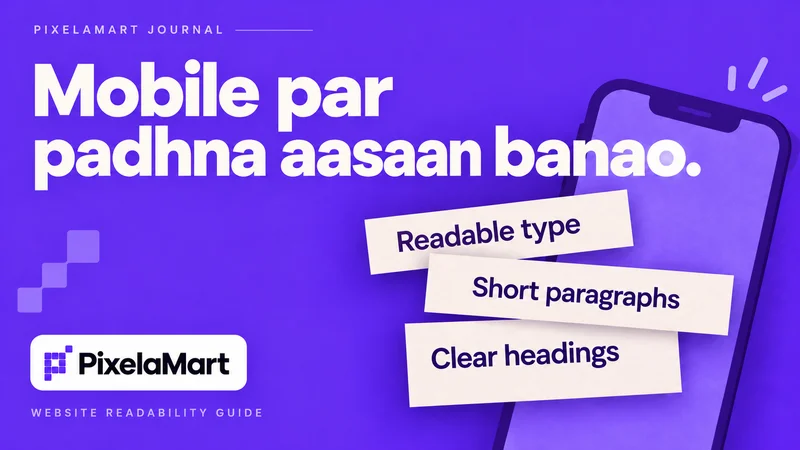
Phone par apni website kholiye aur ek simple kaam kijiye: bina zoom kiye apni main service samajhne ki koshish. Agar pehle screen par sirf ek lamba paragraph mile, toh visitor ko bhi mehnat karni padegi. PixelaMart par template choose karte waqt photos ke saath apna actual content sochna useful hai. Achha starting design bhi unclear writing ko apne aap theek nahi karta.
Har section ko ek sawaal dijiye
Home page par business kya karta hai? Service section mein customer ko kya milega? Contact section mein agla step kya hai? Har block ka ek kaam rakhen. Ek hi paragraph mein company history, saari services aur offer daalne se message ulajh sakta hai. Pehle essential answer likhen, phir zaroorat ke hisaab se details add karein.
Paragraph ko phone par padhein
Desktop par chaar lines ka paragraph phone par kaafi lamba ho sakta hai. Sirf word count dekhne ke bajaye real device par read karein. Jahan thought badalta hai, wahan naya paragraph shuru karein. Har sentence ko alag line banana bhi zaroori nahi; related baaton ko saath rakhen. PixelaMart template mein demo copy replace karne ke baad yeh check dobara karein.
Headings kaam ki honi chahiye
“Our excellence” ki jagah “AC service mein kya included hai?” zyada specific heading hai. Visitor ko heading se section ka purpose samajh aana chahiye. Decorative capitals aur bahut saare font styles se bachkar consistent hierarchy rakhen. Font, spacing aur contrast ka decision apne actual text ko dekhkar lein; har template ki demo headline aapke business ke liye fit nahi hogi.
Buttons mein next step saaf ho
“Submit” ke bajaye context ke mutabik “Send enquiry” ya “View services” likha ja sakta hai. Button ke neeche zaroori expectation batayein: enquiry bhejne ka matlab confirmed booking hai ya team pehle contact karegi? PixelaMart ke frontend enquiry previews ko real submission flow banane ke liye backend integration chahiye. Label badalne se demo form working service nahi ban jata.
Images ke andar essential text mat chhupayein
Price, service limits aur contact information ko sirf poster image mein rakhna editing aur reading ko mushkil bana sakta hai. Important information page ke normal text mein bhi rakhen. Photo ke liye meaningful description use karein aur decorative visuals ko message par haavi na hone dein. Banner ka kaam interest create karna hai; poori service explain karna nahi.
Ek real task se final check karein
Kisi colleague ko phone dijiye aur poochhiye: “Is page se service samjho aur enquiry ka option dhoondo.” Unhe raasta na batayein. Jahan woh rukte hain, content ya label revise karein. PixelaMart se starting layout mil sakta hai; final clarity aapke words, actual business details aur testing se aati hai. Explore Now aur preview ko apne content ke nazariye se dekhein.